
Log Replay
After the ground station is opened, a folder named after the date is created to store log data, including telemetry data and operator actions. Log replay plays back data recorded by the ground station, helping engineers quickly locate or identify flight problems.
Click the left sidebar, find the Log Replay button in the Tools section and click it to open the log replay screen, as shown below:
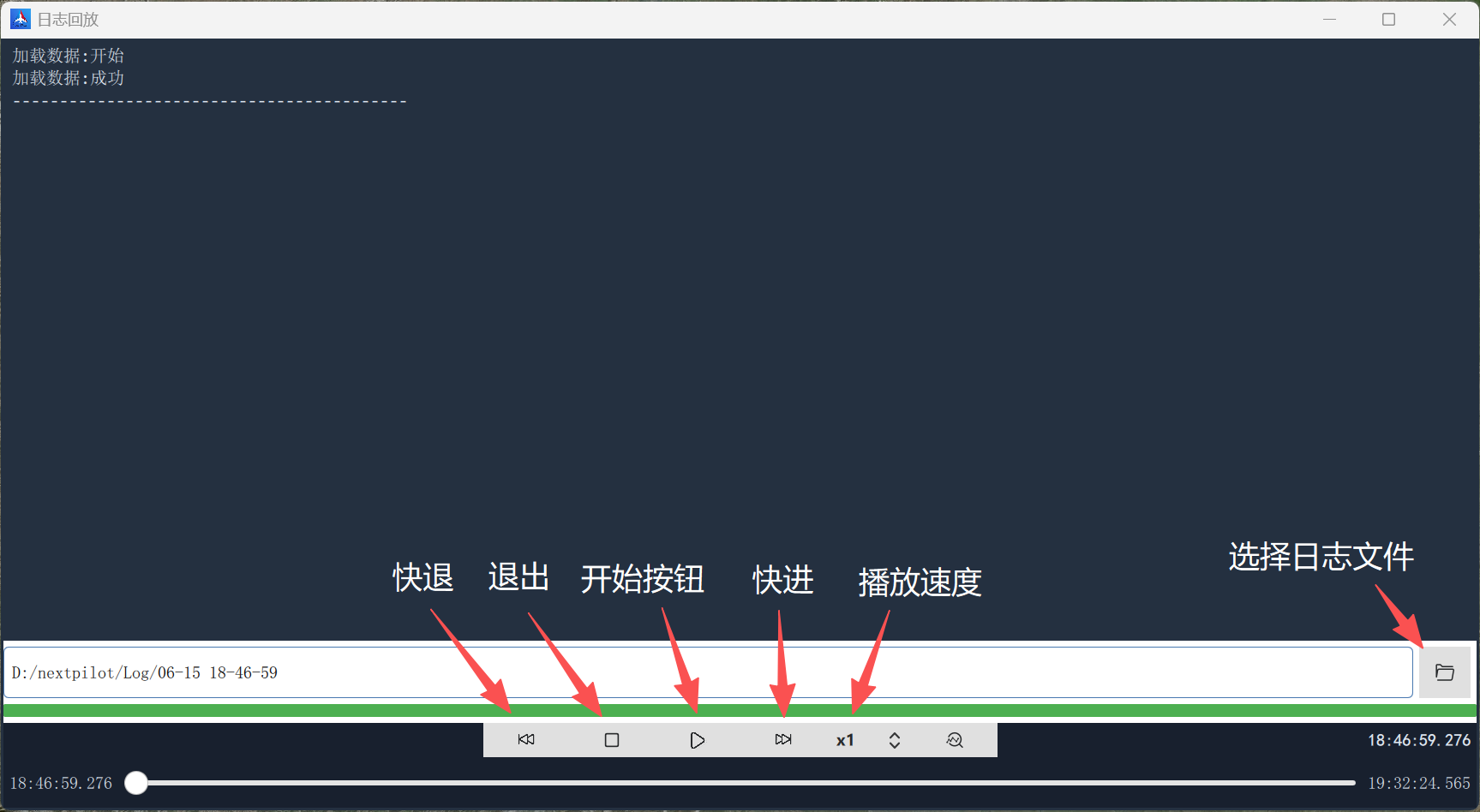
Click the "Open file" button and select the log file to replay;
Click the "Load file" button and wait for the replay data to finish loading (the progress bar completes or the console shows "Load data: success");
Click the Start button to begin data replay;
During replay you can "drag the time progress bar" or click the "Forward 30 s" and "Rewind 30 s" buttons to control the replay position.
Note: do not use log replay while a UAV is connected!