
Flashing Firmware
Since the navigation flight controller contains two main control chips — one running the flight control system program (FCS) and one running the navigation system program (INS) — the flight control firmware is flashed through
FCS-USBand the navigation firmware throughAHRS-USB. The latest firmware is flashed by default at the factory. Because the autopilot program is updated frequently, see the release notes for the version correspondence between the two firmware images.
Preparation
Prepare the following:
- Autopilot firmware — download the required version from Downloads;
- Navigation flight controller — see Products;
- Debug board hardware (if you do not have a debug board, you need to connect the USB download interface yourself according to the autopilot interface pinout table);
- A Type-C USB cable.
Flashing the Flight Control Firmware
Selecting the File
Open the ground control station, click Debug Tools in the Tools section of the left sidebar and select Firmware Upgrade. On the firmware upgrade screen, click the "Select file" button and choose the target firmware in the dialog, as shown below:

After selecting the target firmware and closing the dialog, the firmware path is shown in the text box.
Connecting the Autopilot
Click Find Autopilot, as shown below:
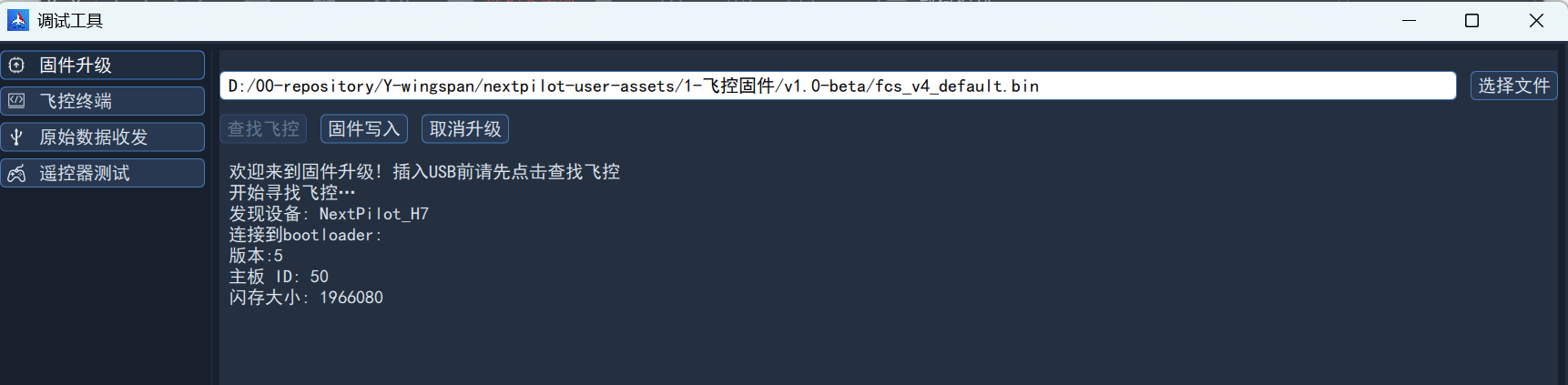
Then connect the autopilot FCS-USB port to the computer with a Type-C USB cable; the ground station recognizes it immediately and displays the relevant information, as shown below:
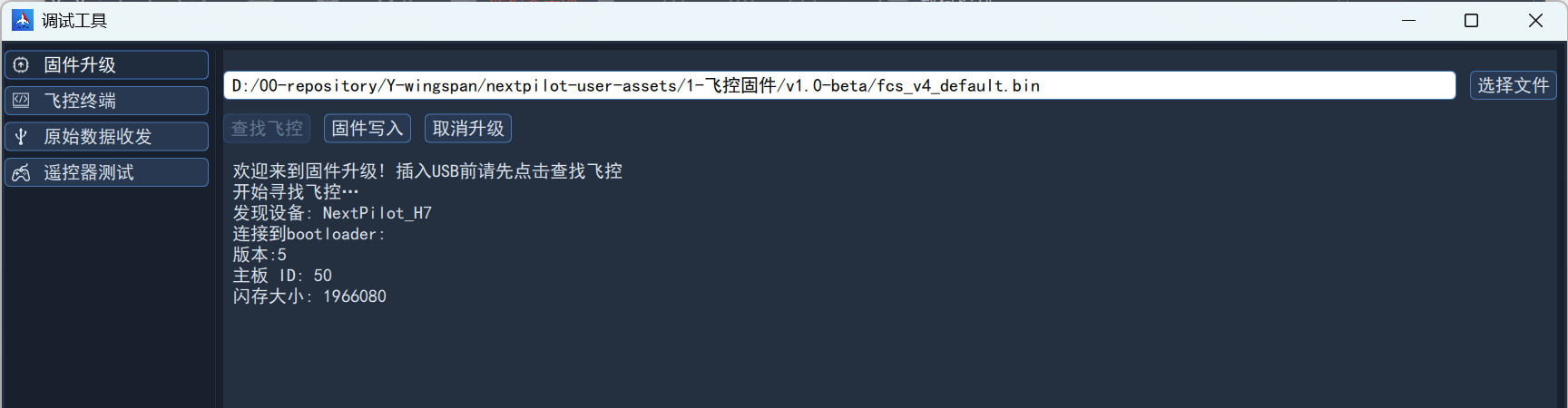
Writing the Firmware
Then click Write Firmware to start the firmware erase and flash process, as shown below:
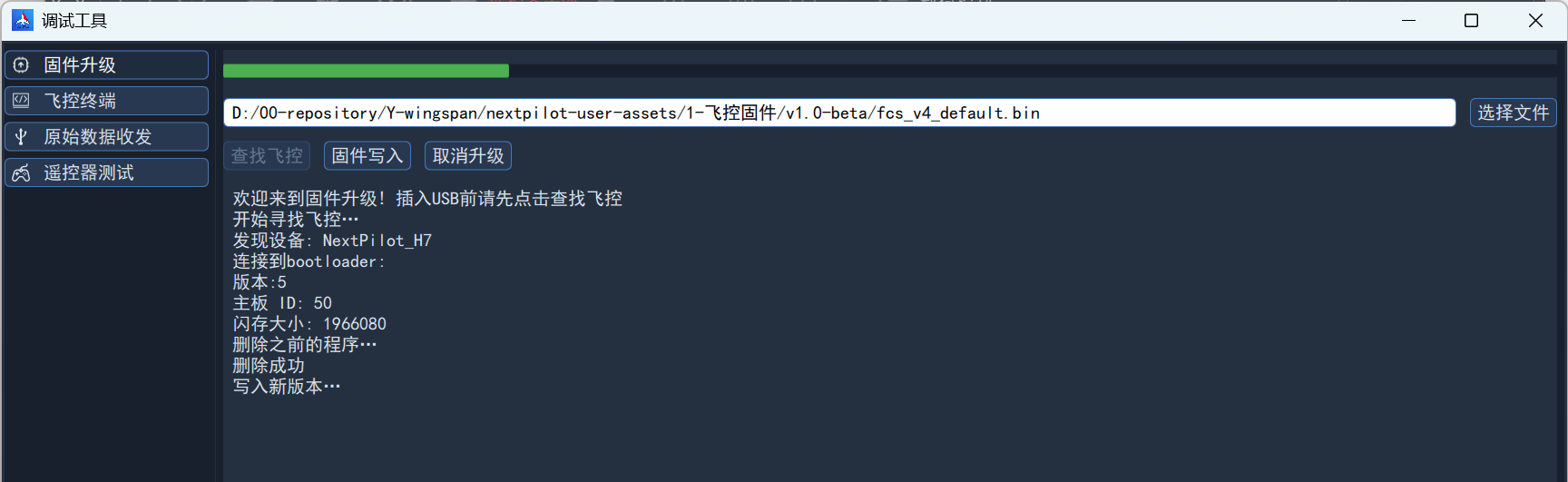
When flashing completes, the prompt shown below appears:
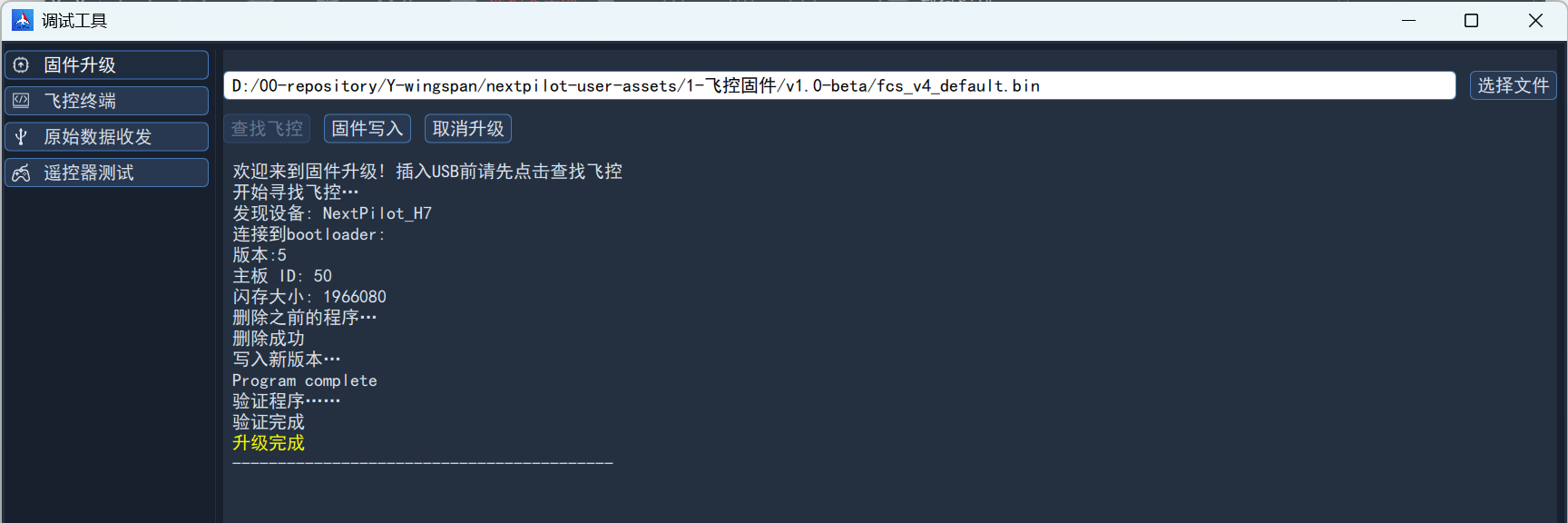
Flashing the Navigation Firmware
The navigation firmware flashing procedure is the same as for the flight control firmware, with these differences:
- When selecting the file, be sure to select the navigation firmware; navigation firmware file names generally start with
ins_; - Connect through
AHRS-USBto the computer.