
Downloading Logs
Introduction
UAV flight logs are stored on the SD card and logging starts as soon as power is applied. Logs from the same day are placed in a folder named after the date, for example 2026-06-06, and each log file is named in the format YYYYmmDD_hhmmss.ulg. If the autopilot internal RTC date is invalid, a sessXXX folder is created to store the logs, where XXX is a sequence number that increments.
The autopilot embedded system mounts the SD card to the computer as a simulated USB drive, so logs can be copied directly from it.
Downloading
Opening the Debug Tools Screen
Click the left sidebar of the ground station, click Debug Tools, then select Firmware Upgrade.
Mounting the SD Card
The SD card mounting procedure is similar to firmware upgrade, but does not require selecting a file or flashing firmware.
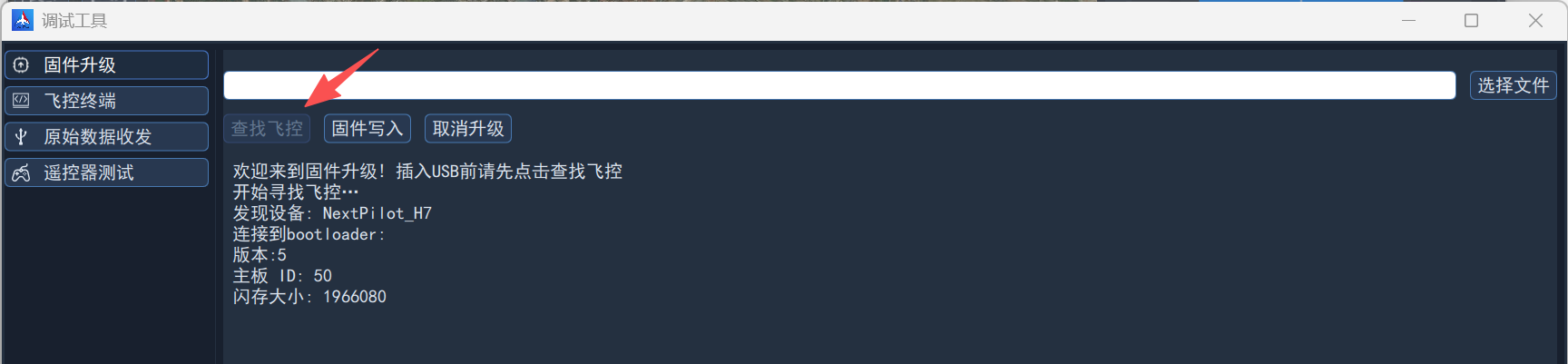
On the firmware upgrade screen, click Find Autopilot, then connect the autopilot FCS-USB port to the computer with a Type-C USB cable; the ground station recognizes it immediately and displays the relevant information, as shown below:
Copying Logs
Open the file explorer and open the USB drive to see the log file directory, as shown below:
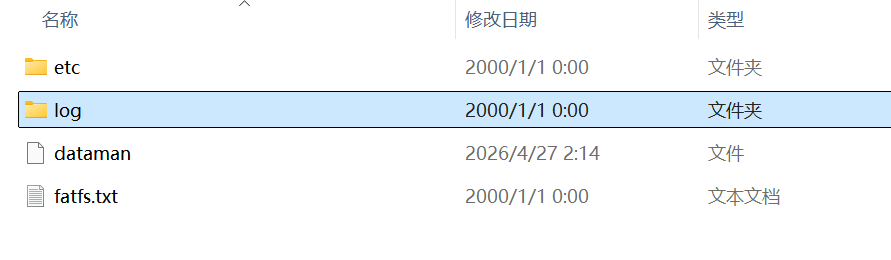
Open the log folder and copy the corresponding logs.